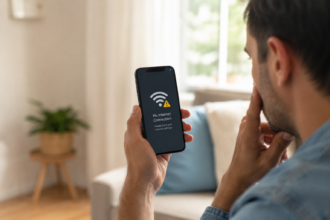
If your phone feels warm — or even hot — while it’s plugged in, you’re not alone. Most phones warm up a little during charging because the battery is actively drawing power. This is usually normal. But if your phone gets uncomfortably hot, stays hot for a long time, or shows warning messages, that’s a sign something needs your attention.
Let’s break down exactly why this happens, when it’s nothing to worry about, and what you can do to keep your phone charging safely.
Quick Answer
Your phone gets hot when charging mainly because of the energy being transferred into the battery, combined with things like background apps, fast charging, a phone case, or an aging battery. A little warmth is normal. But if the phone becomes too hot to hold comfortably, that usually means something is making the process less efficient than it should be.
The Main Reasons Your Phone Heats Up While Charging
There isn’t just one cause — usually it’s a mix of a few factors working together. Here are the most common ones.
1. Fast Charging
Fast chargers push more power into your battery in less time. That extra energy naturally creates more heat than a slow, standard charge. This is expected behavior, and most phones are built to manage it safely with internal temperature controls.
2. Using Your Phone While It Charges
Gaming, watching videos, or scrolling social media while charging makes your processor and battery work at the same time. One is putting energy in, the other is using energy out — and that overlap creates more heat than either action alone.
3. Background Apps Still Running
Apps syncing photos, checking for messages, or refreshing in the background keep your processor active even when you’re not touching your phone. This constant low-level activity adds up and shows as extra warmth during charging.
4. A Case That Traps Heat
Thick cases, especially ones made of rubber or leather, can act like a blanket. They hold heat close to the phone instead of letting it escape into the air, which is one of the easiest and most overlooked causes of a hot phone.
5. Charging in a Warm Spot
Leaving your phone in direct sunlight, on a car dashboard, or under a pillow while it charges limits how well it can cool down. The surrounding temperature matters just as much as what’s happening inside the phone.
6. An Aging or Damaged Battery
As lithium-ion batteries get older, they naturally become less efficient at storing and releasing energy. This lost efficiency often shows up as extra heat, along with faster battery drain and shorter battery life overall.
7. A Low-Quality Charger or Cable
Cheap, uncertified chargers may not properly regulate the voltage going into your phone. Without stable, consistent power, your phone can heat up simply trying to manage an inconsistent charge.
Is It Normal, or Should You Be Worried?
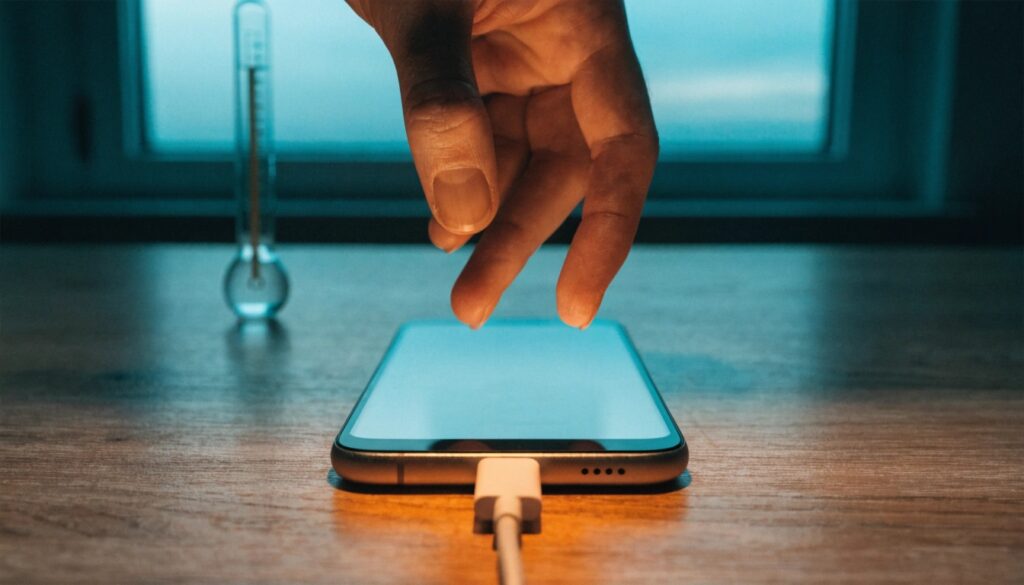
This is usually the real question behind the search — and it deserves a clear answer.
Normal: The phone feels warm to the touch, similar to how a laptop feels after use. This usually happens during fast charging or heavy use and settles down once charging finishes.
Worth watching: The phone feels hot enough to be uncomfortable to hold, charging slows down or stops on its own, or the screen dims unexpectedly. These are your phone’s built-in safety features kicking in — a good sign the system is protecting itself, but also a signal to change something about how you’re charging.
Stop and take action: The phone is too hot to hold, you notice a burning smell, the back of the phone looks swollen or warped, or you see a repeated overheating warning. Unplug the phone immediately and let it cool in a room-temperature space away from soft surfaces.
Step-by-Step Guide: What to Do If Your Phone Feels Hot
- Unplug the charger. Stop the charging process first — this removes the main source of added heat.
- Remove the case. Let air reach the back of the phone so heat can escape naturally.
- Move it to a cooler spot. A table or countertop at room temperature works better than a bed, couch, or sunny windowsill.
- Close background apps. This reduces the extra workload on your processor while things cool down.
- Wait before plugging back in. Give the phone a few minutes to return to a normal temperature before resuming the charge.
- Check battery health in settings. If overheating keeps happening, your battery’s health section can tell you if it’s wearing down.
Common Mistakes People Make
- Charging under a pillow or blanket overnight. This traps heat with nowhere to go and is one of the most common (and avoidable) causes of overheating.
- Ignoring repeated overheating warnings. These messages exist for a reason — repeatedly dismissing them can shorten your battery’s lifespan over time.
- Assuming any warmth means danger. Mild warmth during fast charging is expected. Panicking over normal warmth can lead to unnecessary battery replacements.
- Using a case not designed for airflow. Some cases cover the entire back of the phone with thick, insulating material, which makes cooling harder than it needs to be.
- Charging with a cracked or damaged cable. Damaged cables can cause uneven power flow, which creates more heat than a cable in good condition.
Helpful Tips to Keep Your Phone Cooler While Charging
- Charge your phone on a hard, flat surface instead of on fabric like a bed or couch.
- Take the case off during long charging sessions, especially overnight.
- Avoid charging right after heavy use, like gaming or video streaming — let the phone cool for a few minutes first.
- Keep your software updated, since updates often include battery and power management improvements.
- Check your battery health every few months, especially if your phone is more than two years old.
- Avoid extreme temperature swings — don’t move your phone from a hot car straight to a cold room while it’s charging.
Frequently Asked Questions
1.Is it normal for my phone to get warm while charging?
Yes. Mild warmth is expected, especially with fast charging or heavy use. It becomes a concern only if the phone gets uncomfortably hot or stays hot for a long time.
2.a hot phone battery actually explode?
It’s rare, but extreme and prolonged overheating can damage a lithium-ion battery enough to cause swelling or, in very rare cases, more serious safety issues. This is why unplugging a very hot phone right away matters.
3.Does wireless charging make phones hotter than wired charging?
Wireless charging often produces slightly more heat than wired charging because some energy is lost as heat during the wireless transfer process itself.
4.Should I take my case off every time I charge my phone?
It’s not always necessary, but if you notice your phone running hot, removing the case — especially during long or overnight charges — can help it cool more effectively.
5.Why does my phone get hot when charging overnight?
Overnight charging often combines several heat sources at once: a full charge cycle, a case trapping warmth, and sometimes being placed on a soft surface like a bed, all of which limit heat from escaping.
6.Will putting my phone in the fridge cool it down faster?
No. Sudden cold can cause condensation inside the phone, which risks damaging internal parts. Let it cool naturally at room temperature instead.
7.Does a hot phone charge slower?
Yes. Many phones automatically slow down or pause charging when they detect high internal temperatures. This is a safety feature, not a malfunction.
Final Thoughts
A phone that gets a little warm while charging is completely normal — it’s simply a sign that energy is being transferred efficiently. But when the heat feels excessive, lingers, or comes with warning signs like a burning smell or a swollen back panel, it’s your phone telling you to slow down and check what’s going on.
By paying attention to how you charge — where you place your phone, whether you’re using it at the same time, and how old your battery is — you can keep both your device and your daily routine running smoothly.
About the Author
Muhammad Ahmad is an SEO and GEO Specialist and the Founder of Careerzon.org, a platform dedicated to career development and professional growth. He helps readers navigate job searching, resume building, career planning, and skill development through clear, practical, and easy-to-follow guidance. Combining his SEO and GEO expertise with a focus on career content, M. Ahmad ensures Careerzon.org delivers helpful, people-first advice that’s easy to find and easy to understand — whether you’re searching on Google or asking an AI assistant.
Also Read: