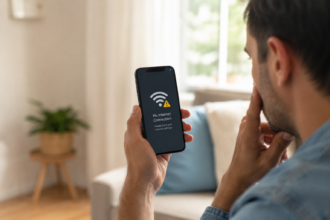
If your phone suddenly shut off and turned back on by itself, you’re probably a little rattled right now. The good news: a random restart is usually caused by something simple, like a software bug, an app conflict, or a battery that’s aging. It’s rarely a sign that your phone is about to die.
This guide walks you through the most common reasons phones restart on their own, how to fix it yourself, and when it’s time to get help.
Quick Answer
Most random phone restarts happen because of a software glitch, an outdated app, a full storage drive, overheating, or a battery that’s wearing down. A one-time restart usually isn’t a big deal. But if it keeps happening several times a week, it’s worth digging into the cause before it turns into a bigger problem.
Common Reasons Your Phone Restarts on Its Own
Random restarts almost always come down to one of a few culprits. Here’s what usually causes them.
Software Bugs and Updates
Phones run on complex software, and sometimes that software hits a snag. A recent operating system update, a buggy app, or a background process that froze can force your phone to reboot itself to recover. This is one of the most common causes, especially right after you install a new update.
Overheating
Phones have built-in safety features that shut them down or restart them if they get too hot. This can happen from heavy gaming, using your phone while it’s charging, leaving it in direct sunlight, or running too many apps at once. If your phone feels warm right before it restarts, heat is a likely trigger.
A Nearly Full Storage Drive
When storage space runs low, your phone struggles to manage background tasks properly. This strain can lead to freezing, lagging, and eventually a random restart. It’s an easy thing to overlook, but storage issues cause more phone problems than most people realize.
Battery Health Issues
As batteries age, they lose their ability to hold a steady charge. An aging or damaged battery can cause your phone to shut down unexpectedly, especially when the battery percentage drops quickly or the phone is under load. This is a common pain point for anyone with a phone that’s a couple of years old.
A Problematic App
Sometimes it’s not your phone at all, it’s one app. A poorly coded or outdated app can crash in a way that takes your whole system down with it. If you notice the restarts happen right after opening a specific app, that app is a strong suspect.
Rare but Possible: Malware
It’s understandable to worry that a virus is behind the restarts. This does happen occasionally, but it’s far less common than the causes above. Malware-related restarts are usually paired with other red flags, like unfamiliar apps, unusual data usage, or pop-ups you didn’t approve.
How to Tell If It’s Serious
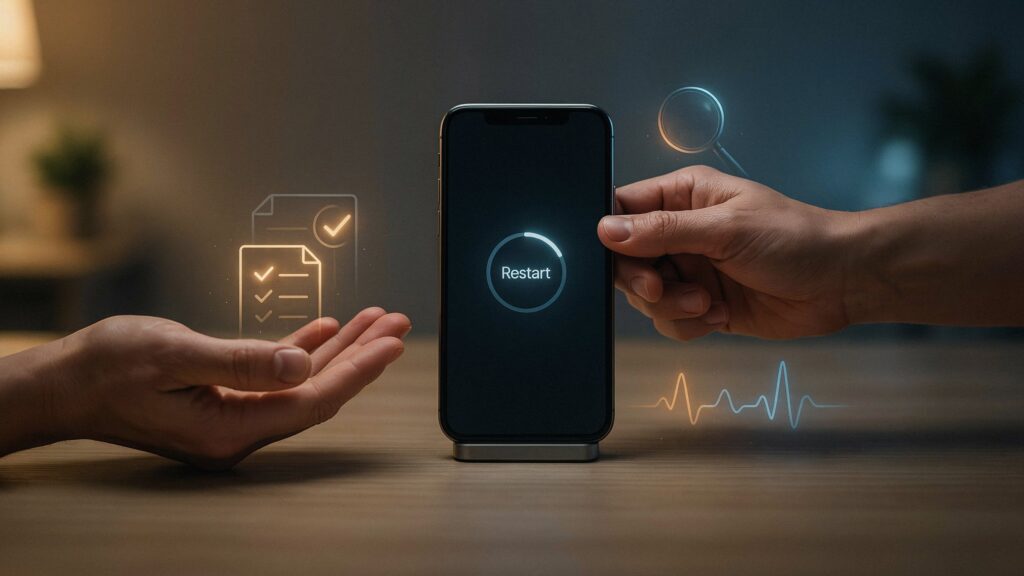
This is one of the biggest pain points people have: not knowing if a random restart is harmless or a warning sign. Here’s a simple way to think about it.
Likely Harmless
- It happened once or twice
- It followed a software update
- Your phone felt hot beforehand
- Storage was nearly full
Worth Investigating Further
- It happens multiple times a week
- It happens with no clear pattern
- Your battery drains unusually fast
- Apps crash frequently even when you’re not restarting
If your situation fits the second list, don’t panic, but don’t ignore it either. The steps below can help you narrow down the cause.
Step-by-Step Guide to Fixing Random Restarts
- Restart your phone manually first. This clears temporary glitches and gives you a clean starting point.
- Check for software updates. Go to your phone’s settings and install any pending updates, since many restart issues are fixed in newer versions.
- Free up storage space. Delete old photos, videos, or apps you no longer use to give your phone room to breathe.
- Check your battery health. Most phones have a built-in battery health setting. If it shows significant wear, that could explain the restarts.
- Uninstall recently added apps. If the restarts started after downloading a new app, remove it and see if the problem stops.
- Boot into safe mode (Android) or check for suspicious apps (iPhone). This helps you figure out if a third-party app is causing the crash.
- Back up your data, just in case, before trying any deeper fix.
- Factory reset as a last resort. If nothing else works, a factory reset often clears out deep software issues, but only do this after backing up your files.
Common Problems or Mistakes People Make
- Ignoring it after the first restart. One reboot might be nothing, but people often wait too long to investigate a pattern.
- Jumping straight to a factory reset. This can fix the issue, but it also wipes your data if you haven’t backed up first. Try smaller fixes before resetting.
- Overlooking storage as a cause. Many people check for viruses or hardware problems but forget to simply check how much storage space is left.
- Not checking battery health. A tired battery is one of the most overlooked reasons for random shutdowns.
- Assuming it’s always a virus. Malware is possible, but it’s usually not the first place to look.
Helpful Tips
- Keep at least 10 to 15 percent of your storage free at all times to help your phone run smoothly.
- Avoid using your phone heavily while it’s charging, since this combination often leads to overheating.
- Update your apps regularly, not just your operating system, since outdated apps are a frequent cause of crashes.
- Remove phone cases while charging if your phone tends to run hot.
- Keep a mental note of when restarts happen. A pattern (like always during a certain app or always while charging) makes the cause much easier to find.
Frequently Asked Questions
1.Why does my phone randomly restart by itself?
It’s usually caused by a software bug, low storage, overheating, or a battery that’s starting to wear down. A specific app can also be the trigger.
2.Is a random restart bad for my phone?
Not usually. One occasional restart is normal. Frequent restarts are worth looking into, but they don’t automatically mean your phone is failing.
3.Can a virus cause my phone to restart?
It’s possible but uncommon. Malware-related restarts usually come with other warning signs, like strange apps or unusual battery drain.
4.Is random restarting a sign my battery needs replacing?
It can be. If your battery health is low or your phone shuts down suddenly even with charge remaining, the battery could be the cause.
5.Should I factory reset my phone if it keeps restarting?
Only after trying simpler fixes first, like updating software, freeing up storage, and removing recently installed apps. Back up your data before resetting.
6.Does overheating cause phone restarts?
Yes. Phones are designed to shut down or restart to protect themselves when they get too hot.
7.Can a bad app cause random reboots?
Yes, a poorly optimized or outdated app can crash in a way that forces the whole phone to restart.
Final Thoughts
A random phone restart is usually your device’s way of recovering from a small glitch, not a sign of something catastrophic. Start with the easy fixes, like updating your software and clearing out storage, before assuming the worst. If the restarts continue after trying these steps, checking your battery health or getting professional help is the next smart move.
Author: Muhammad Ahmad
M. Ahmad is an SEO and GEO Specialist and the Founder of Careerzon.org, a platform dedicated to career development and professional growth. He helps readers navigate job searching, resume building, career planning, and skill development through clear, practical, and easy-to-follow guidance. Combining his SEO and GEO expertise with a focus on career content, M. Ahmad ensures Careerzon.org delivers helpful, people-first advice that’s easy to find and easy to understand — whether you’re searching on Google or asking an AI assistant.
Also Read: