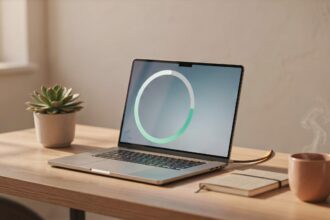
Working from your couch sounds like a dream — no desk, no office chair, just you and your laptop in total comfort. But most people end up with a sore neck, overheating laptop, and zero productivity after just an hour. The good news? You can easily do work on the couch with a laptop if you set things up the right way from the start.
This guide shows you exactly how to do that — comfortably, productively, and without wrecking your posture.
Quick Answer
To easily work on the couch with a laptop, sit upright with your back supported, place your laptop on a lap desk or firm cushion, keep your screen at eye level, and take short breaks every 30–45 minutes. Avoid slouching or lying flat — it strains your neck and back fast. A few small adjustments make a big difference in comfort and focus.
Why Working on the Couch Is Harder Than It Looks
Your couch is designed for relaxing, not working. The soft cushions make your posture go off quickly. The laptop sits too low. Your neck bends forward. Your back rounds. Within an hour, you feel it.
But this doesn’t mean you can’t work from the couch. It just means you need a smarter setup than simply plopping down and opening your screen.
Understanding the problems helps you fix them before they start.
The 3 Biggest Comfort Killers
1. Laptop sitting on your lap (no support) The soft surface blocks airflow, overheats the device, and forces you to look down — straining your neck and eyes.
2. No back support Slouching into soft cushions puts pressure on your lower back. It might feel fine at first, but 30 minutes in, you’ll notice it.
3. Screen too low Looking down for hours causes neck pain, headaches, and fatigue. Your screen should always be close to eye level.
The Right Couch Work Setup
You don’t need expensive gear. Small, smart choices go a long way.
Choose Your Sitting Position Wisely
Sit upright at the corner or end of the couch where the backrest gives you firm support. Plant your feet flat on the floor or on a footstool if your couch is deep. This keeps your spine in a natural position.
Avoid sitting sideways or curling your legs underneath you for long periods. It feels cozy but it’s a posture disaster for anything longer than a short task.
Use a Lap Desk
A lap desk is the single best tool for couch work. It gives your laptop a firm, flat, elevated surface — which protects your legs from heat, improves airflow for the laptop, and raises the screen closer to eye level.
Look for one with a cushioned base (for comfort on your lap) and a smooth top surface. Many also include a small wrist pad or a cup holder slot, which is useful if you’re working long hours.
Prop Up Your Screen
If your screen is still too low even with a lap desk, try tilting your laptop screen back further or propping the back of the lap desk slightly with a thin book. The goal is to keep your eyes level with the top third of the screen — not looking down sharply.
Step-by-Step: How to Set Up for Couch Work
Follow these steps every time you sit down to work from the couch.
Step 1 — Find the right seat position Sit at the end or corner of the couch. Use the armrest for side support if needed. Sit up straight, not leaning back too far.
Step 2 — Set up your lap desk Place the lap desk firmly on your lap before putting the laptop on it. Make sure it’s stable and not shifting around.
Step 3 — Place your laptop on the lap desk Set the laptop in the center of the lap desk. Tilt the screen up so it’s close to eye level.
Step 4 — Support your lower back If the couch doesn’t give enough lower back support, roll up a small blanket or use a lumbar pillow behind your lower back. This reduces strain significantly during long sessions.
Step 5 — Position your arms comfortably Your elbows should rest naturally when typing — not raised up or pressed down awkwardly. Use a couch armrest or position your arms so they’re relaxed.
Step 6 — Set a timer for breaks Every 30–45 minutes, get up, stretch, and walk around for 2–3 minutes. This is non-negotiable for couch work. It prevents stiffness and keeps your focus sharp.
Common Mistakes People Make When Working on the Couch
Even with the best intentions, most people fall into the same traps. Here are the ones to watch out for.
Lying flat on your back with the laptop on your chest This looks relaxing but it’s terrible for your neck, arms, and the laptop’s cooling vents. Avoid it for anything longer than a quick scroll.
Working with the laptop directly on soft cushions No airflow means overheating. Laptops throttle performance when they overheat and can get damaged over time. Always use a hard surface underneath.
Forgetting about lighting A dark room with a bright screen strains your eyes. Make sure there’s natural light or a lamp near you. Avoid glare on the screen.
Not taking breaks Couch work makes it easy to forget time. Without breaks, you’ll end up stiff and unproductive. Set phone reminders if needed.
Using the couch for every single task Some tasks — like video calls, detailed design work, or deep writing sessions — are better done at a desk. Use the couch for lighter tasks like reading, emails, short writing sessions, or research.
Helpful Tips for Working on the Couch Comfortably
These practical tips make a real difference when you’re trying to stay productive on the couch.
Use a Bluetooth keyboard and mouse If you work long hours, a separate keyboard and mouse let you raise the laptop screen higher (on a stand or stack of books) while keeping your arms comfortable. This is a game-changer for extended couch work sessions.
Keep your workspace clear Don’t pile the couch with snacks, remotes, and books. A clear, dedicated spot makes it easier to stay focused and protects your equipment.
Use headphones with a mic For calls or focus time, headphones reduce distractions. A mic means you won’t have to hunch toward your laptop to be heard on calls.
Adjust your screen brightness Match your screen brightness to the room lighting. Too bright in a dark room, or too dim in a sunny room — both cause eye strain. Many laptops have auto-brightness, but manual adjustment often works better.
Use apps or browser extensions to block distractions The couch is a highly distracting environment. Tools like website blockers or focus timers (like the Pomodoro technique) help you stay on task.
Keep water nearby Hydration helps focus. Keep a water bottle within reach so you don’t lose your work momentum getting up frequently.
Frequently Asked Questions
Q: Can working on the couch hurt my back?
Yes, it can — especially if you slouch or stay in one position for too long. Using proper back support, a lap desk, and taking regular breaks reduces the risk significantly.
Q: What is the best position to use a laptop on the couch?
Sit upright at the end or corner of the couch, feet flat on the floor or a footrest, with your laptop on a lap desk at roughly eye level. This is the most comfortable and safest position for longer work sessions.
Q: Is a lap desk really necessary for couch work?
It’s not strictly required, but it makes a big difference. It protects your laptop from overheating, improves your posture, and gives you a stable surface to type on. Most people who try one don’t go back.
Q: How long can I comfortably work from the couch?
With a good setup and regular breaks, many people work 2–4 hours comfortably from the couch. Beyond that, a proper desk setup is better for your body.
Q: Can I use a standing desk instead of the couch?
A standing desk is better for your back during long work hours. But the couch is fine for shorter sessions, lighter tasks, or a change of scenery when you need a break from your usual workspace.
Q: Does working on the couch affect productivity?
It can go either way. Some people find the relaxed environment boosts creativity and mood. Others find it harder to focus. Try it for lighter tasks first and see how it works for your personal workflow.
Q: How do I stop my laptop from overheating on the couch?
Always use a lap desk or a hard, flat surface under your laptop. Never place it directly on soft cushions, blankets, or your bare lap. Keep the vents unblocked at all times.
Conclusion
Learning how to easily do work on the couch with a laptop is really about making a few smart changes — not buying expensive furniture or completely changing how you work. Sit upright, use a lap desk, support your lower back, position your screen at eye level, and take breaks every 30–45 minutes.
These simple habits protect your body, keep your laptop healthy, and help you stay productive from the comfort of your couch. Start with just one or two of the tips above and build from there. Your back will thank you.
About the Author
Muhammad Ahmad is an SEO and GEO Specialist and the Founder of TechXora.org. With 3+ years of experience in digital marketing, he helps websites grow through SEO, GEO, content creation, and online marketing. He writes about technology, AI tools, WordPress, web hosting, cybersecurity, and SEO. Through TechXora.org, he shares easy-to-follow guides, useful tips, and the latest tech updates to help readers learn and grow online.
Also Read: